Best Nextbase Dash Cams UK: Which Model Should You Choose?

The best Nextbase dash cams UK drivers can buy suit different needs, from simple road recording to interior coverage and connected features. This guide explains the differences between the models, which camera modules fit and when the extra features are worth paying for.

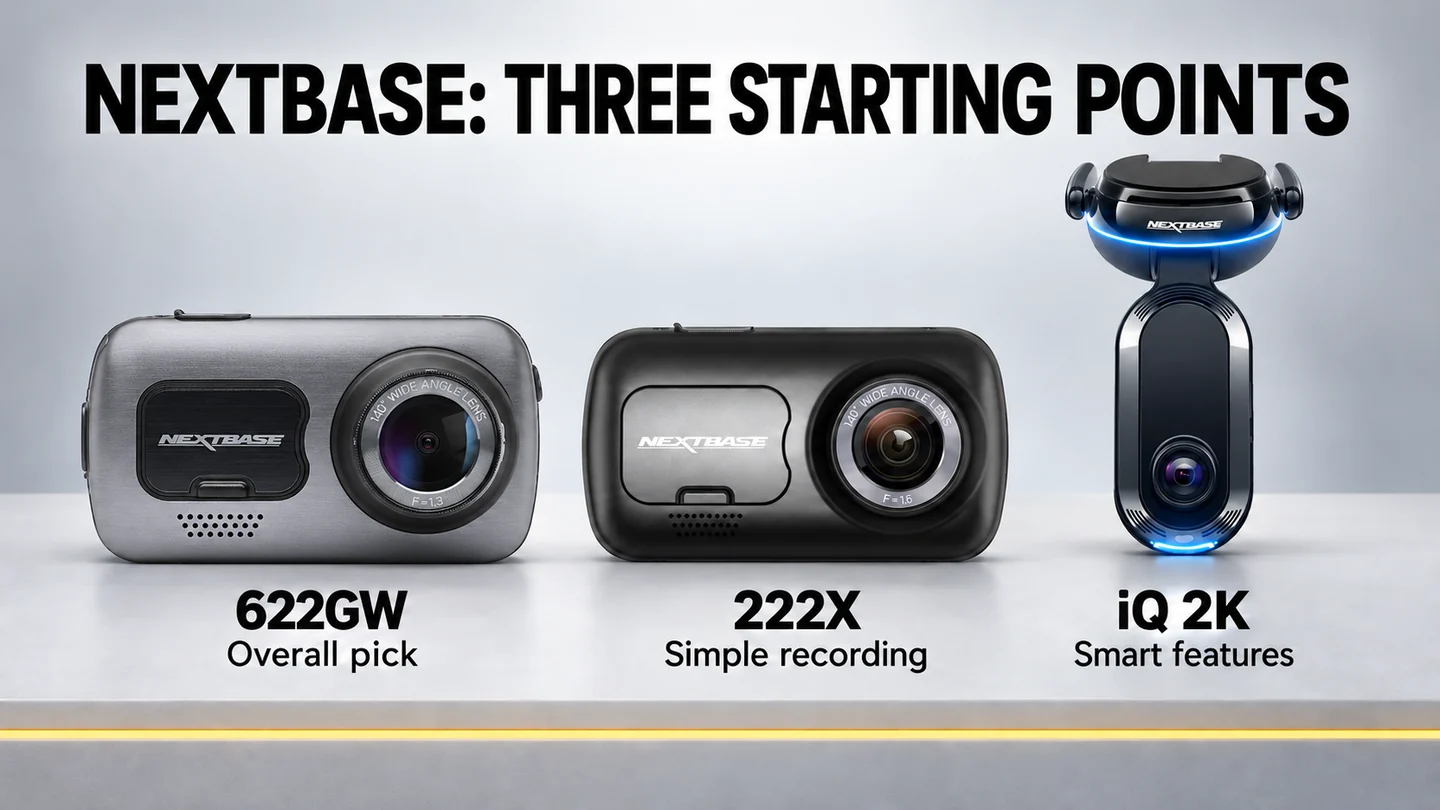
I’ve recommended the 622GW since 2024, and it remains my overall Nextbase pick. Its 4K front recording, touchscreen and choice of add-on cameras still make a useful combination. The 222X takes a simpler approach, while the iQ 2K is the one I’d choose when remote monitoring and recording inside the car matter.

The 322GW, 422GW and 522GW also deserve a look, particularly when their bundles cost noticeably less. Here’s how I’d choose between them.

Who is this guide for?

This guide is for UK drivers choosing a dash cam for everyday use, as well as Uber, taxi and private-hire drivers who need to think about passengers and interior recording.

My years of private-hire driving shape how I judge these setups. Recording the road is one need; recording what happens inside the car is another. Before choosing a model, I’d decide whether you want a front view, front and rear views, or all three views together.

That distinction matters with Nextbase. The GW models take one add-on camera at a time. You can add a rear view or an interior view, but you cannot combine both modules to make a 3-channel system. The iQ records the front and interior as standard and becomes a 3-channel setup when you add its dedicated rear camera.

Affiliate disclosure: This guide contains affiliate links. If you buy through them, I earn a commission at no extra cost to you.

Best Nextbase Dash Cams UK: My Shortlist

ModelMy recommendationThe step I’d choose
622GWSBest overall Nextbase in this guide622GW with the Rear Window Camera for front and rear coverage
222XBest simple option222X with its supplied plug-in rear camera
iQ 2KBest smart optioniQ 2K with its dedicated rear camera for road, interior and rear coverage
522GWAlternative when the bundle is substantially cheaper522GW with the Rear Window Camera
422GWMiddle option if the price is right422GW with the Rear Window Camera
322GWEntry point to the GW rangeFront-only, or with one compatible module
Best Nextbase dash cams UK: 622GW, 222X and iQ 2K compared

MY tAKE

I’d start with the 622GW for the best overall balance of features and everyday usability, the 222X for simple front-and-rear recording, or the iQ 2K for interior recording and smart connected features.

The Nextbase models I’d start with:
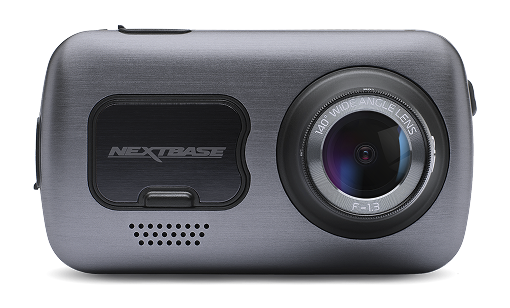
Front view of the Nextbase 622GW 4K dash cam

Nextbase 622GW

Most taxi, Uber and private-hire drivers

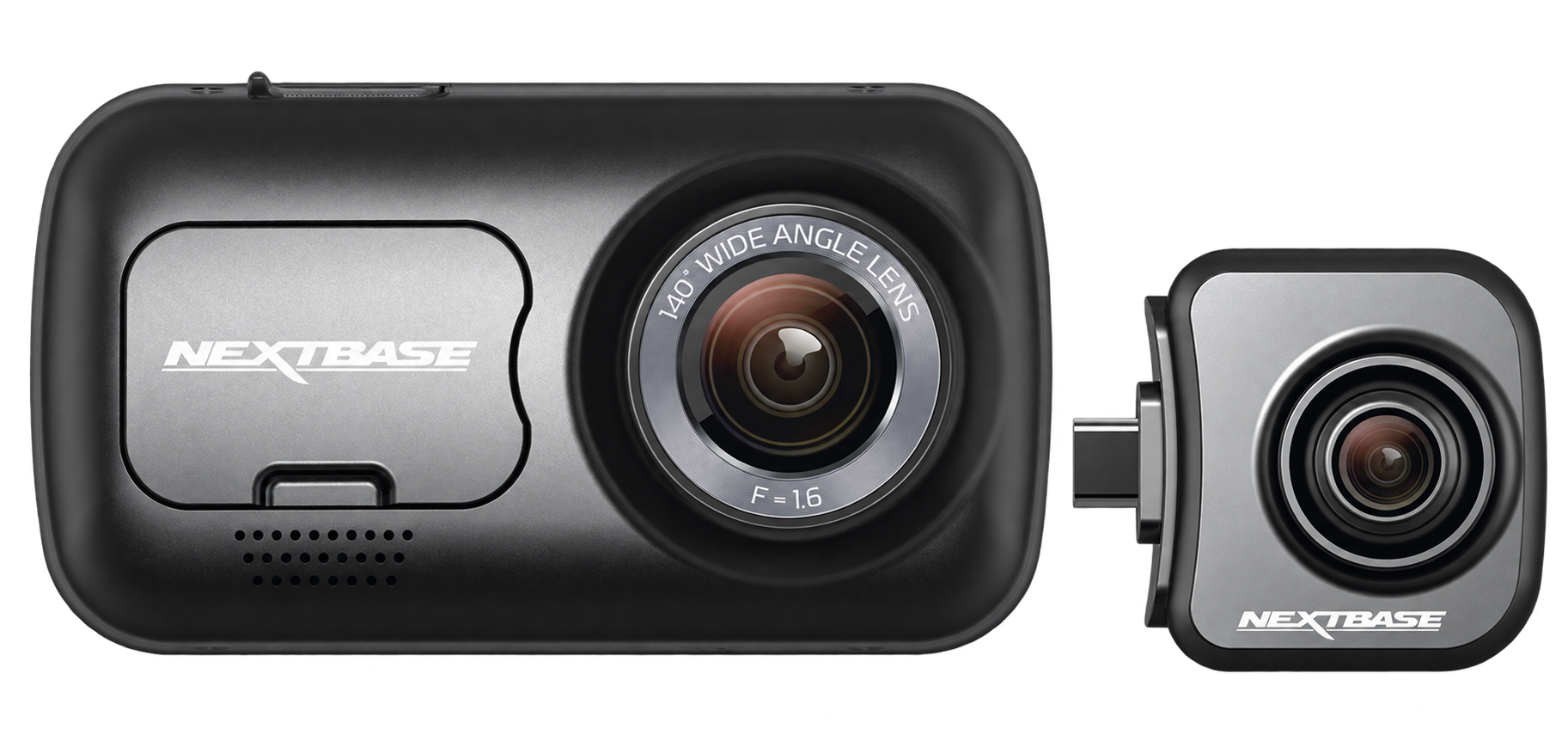
Front view of the Nextbase 222X dash cam with plug in rear camera

Nextbase 222X

Drivers who need a second view of a larger passenger area

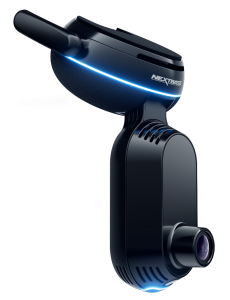
Angled view of the Nextbase iQ smart dash cam

Nextbase iQ 2K

Drivers who want road footage in both directions


1. The Nextbase GW range: 322GW, 422GW, 522GW and 622GW
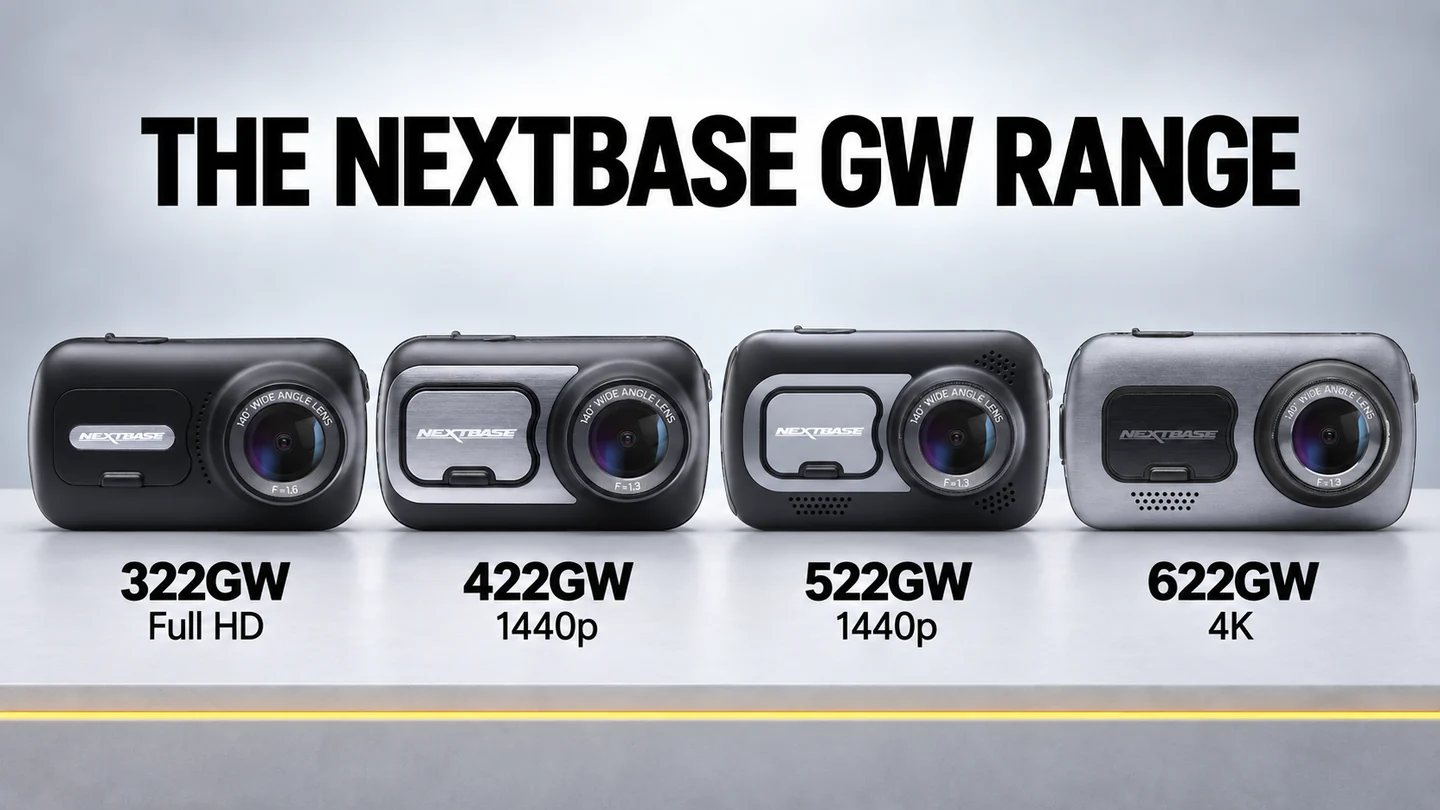
Nextbase 322GW, 422GW, 522GW and 622GW dash cams arranged side by side

The GW name identifies Nextbase models with GPS and Wi-Fi. These cameras share a familiar approach: a screen for checking the view and changing settings, a magnetic powered mount and phone connectivity. They can all use the same three Nextbase add-on camera types, although the recording resolution changes between models.

The main buying decision is how much you want to spend on image detail and convenience. The 322GW starts at Full HD, the 422GW and 522GW move to 1440p, and the 622GW reaches 4K. Moving up the range also changes the screen, included filter and available recording modes.

Nextbase 622GW — my best overall Nextbase pick
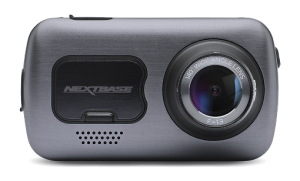
Front view of the Nextbase 622GW 4K dash cam

Nextbase 622GW:

Best fit: Drivers who want a front-only dash cam with 4K recording and straightforward touchscreen controls.

Approx. £259.99 – £269.00

– Front camera only.

  • 4K front recording at 30fps.
  • Keeps 4K front recording with a 1080p add-on camera.
  • Included polarising filter helps reduce dashboard reflections.
  • Image stabilisation and a 3-inch touchscreen.
  • Choice of rear-window, plug-in rear-view or interior module.
  • Only one add-on camera at a time.
  • No built-in 4G or remote live view.
  • Some owners report freezing and connection problems.

The 622GW still gets the fundamentals right. Its 4K recording, image stabilisation, built-in GPS and 3-inch touchscreen give everyday drivers a strong combination of video quality and ease of use. The included polarising filter helps reduce dashboard reflections, completing a package that remains competitive years after launch.

I’ve recommended it since 2024 because those features serve a clear purpose. You can check the view and change settings on the screen, record detailed footage ahead and add a camera to cover the rear. Newer models have moved technology forward, but many drivers will get more use from these everyday features than from extra recording modes or connected services.

I’d choose the front-only 622GW as a starting point. If you also want rear coverage, I’d add the Rear Window Camera. It keeps the front recording at 4K and adds 1080p rear footage. Routing the cable takes more fitting, but it gives you a dedicated rear view without passengers or headrests getting in the way.

Some owners have reported freezing, battery and app issues, which are worth knowing before buying. My recommendation rests on the complete package: useful recording features, straightforward controls and flexible camera options. That balance keeps the 622GW as my best overall dash cam for UK drivers and my overall choice in this Nextbase guide.

Channels: 1; 2 with one module | Front Resolution: 4K/30fps; also 1440p/60fps or 1080p/120fps front-only | Interior Resolution: 1080p with optional interior module | Rear Resolution: 1080p with optional rear module | Viewing Angle: Front 140° | Night Vision: Enhanced night recording; no front infrared | Power Type: Vehicle power with internal battery | Max Storage: 256GB with a currently supported card | Parking Mode: Impact-triggered | Wi-Fi / App: Wi-Fi, Bluetooth and Nextbase App with compatible firmware | GPS: Yes | Dimensions (Front Unit): 94 × 53 × 45mm

Nextbase 522GW — the alternative when the bundle price is right
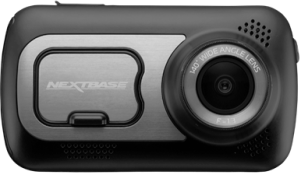
Front view of the Nextbase 522GW dash cam

Nextbase 522GW:

Best fit: Drivers who want front-and-rear recording, a large touchscreen and an included polarising filter without paying for 4K. F

Approx. £207.99 – £279.00

– Front + rear + 64GB

  • 1440p front recording at 30fps.
  • 3-inch touchscreen.
  • Included polarising filter.
  • GPS and phone connectivity.
  • Compatible with one GW add-on camera.
  • No 4K recording or 622GW image stabilisation.
  • Adding a module changes the available resolution combinations.
  • Its value depends on the price gap to the 622GW.

I’d choose the 522GW front-and-rear bundle when it costs substantially less than an equivalent 622GW setup. Its large touchscreen and included polarising filter are useful everyday benefits, especially if you prefer changing settings on the camera rather than through your phone. The current Amazon bundle also includes a 64GB memory card, making it better value.

The important detail is what happens when you add a second camera. You can choose 1440p front with 720p on the module, or 1080p on both cameras. You cannot keep 1440p at the front and get 1080p at the rear simultaneously.

I’d then choose the recording combination that best suits your priorities. If rear detail matters more, 1080p on both cameras makes sense. If you want more detail ahead, the 1440p/720p combination favours the front.

The 622GW remains my overall choice for its 4K front recording, but the 522GW bundle is a worthwhile option if you want both road views, a large touchscreen and an included filter at a lower total cost.

Channels: 1; 2 with one module | Front Resolution: 1440p/30fps or 1080p/60fps front-only; 1440p/30fps or 1080p/30fps with module | Interior Resolution: Optional 720p with 1440p front, or 1080p with 1080p front | Rear Resolution: Optional 720p with 1440p front, or 1080p with 1080p front | Viewing Angle: Front 140° | Night Vision: Low-light recording; no front infrared | Power Type: Vehicle power with internal battery | Max Storage: 256GB with a currently supported card | Parking Mode: Impact-triggered | Wi-Fi / App: Wi-Fi, Bluetooth and Nextbase App with compatible firmware | GPS: Yes

GET IT NOW

Nextbase 522GW Review

Nextbase 422GW — a middle option worth comparing on price
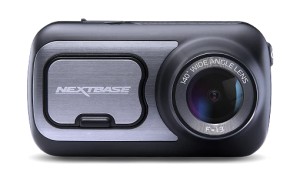
Front view of the Nextbase 422GW dash cam

Nextbase 422GW:

Best fit: Drivers who want 1440p front recording and the option to add a compatible Nextbase camera module.

Approx. £148.00 – £159.00

– Front + carry case

  • 1440p front recording at 30fps.
  • 2.5-inch touchscreen.
  • GPS and phone connectivity.
  • Choice of one compatible rear or interior camera.
  • Polarising filter is an additional purchase.
  • Smaller screen than the 522GW.
  • Same front/module resolution compromise as the 522GW.

The 422GW is worth considering when you want the recording options of the 522GW but do not need its larger screen. I’d compare the total price with the same rear camera and memory card included, rather than judge the front units alone.

If you also want a polarising filter, add that to the 422GW’s cost. A discounted 522GW bundle can become the better buy once its included filter is taken into account.

For general driving, I’d choose the 422GW with the Rear Window Camera if it gives you a worthwhile saving. For passenger recording, its optional interior module is easy to fit, but its lack of infrared makes it a weaker choice for dark interiors. A hands-on review of the 422GW and interior camera found that limitation mattered after dark.

1; 2 with one module | Front Resolution: 1440p/30fps or 1080p/60fps front-only; 1440p/30fps or 1080p/30fps with module | Interior Resolution: Optional 720p with 1440p front, or 1080p with 1080p front | Rear Resolution: Optional 720p with 1440p front, or 1080p with 1080p front | Viewing Angle: Front 140° | Night Vision: Low-light recording; no front infrared | Power Type: Vehicle power with internal battery | Max Storage: 128GB | Parking Mode: Impact-triggered | Wi-Fi / App: Wi-Fi, Bluetooth and Nextbase App with compatible firmware | GPS: Yes

GET IT NOW

Nextbase 422GW Review

Nextbase 322GW — the entry point to the GW range
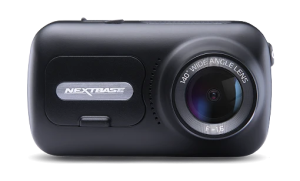
Front view of the Nextbase 322GW dash cam

Nextbase 322GW:

Best fit: Drivers who want front-and-rear recording with a touchscreen, GPS and Wi-Fi without paying for the higher-resolution GW models.

Approx. £152.99 – £179.99

– Front + rear

  • Full HD front recording, up to 60fps front-only.
  • 2.5-inch touchscreen.
  • GPS and phone connectivity.
  • Takes one GW rear or interior module.
  • A module records at 720p alongside 1080p front footage.
  • Front recording drops to 30fps with a module.
  • Less front resolution than the other GW models here.

I’d start with the 322GW if you want the GW screen, GPS and module system but need to keep the initial cost down. It also lets you buy a front camera now and add a compatible module later.

It sits between two clearer recommendations. The 222X makes sense when simple operation is your priority, while the 622GW gives you more detail and a stronger front-and-rear recording combination. The 322GW earns its place when its price makes those extra GW conveniences affordable.

If you want rear coverage, I’d favour the Rear Window Camera for its dedicated view. Just budget for the whole setup and remember that the second camera records at 720p. Independent testing found the front camera usable in daylight and at night, but that does not make it equivalent to the higher-resolution models.

1; 2 with one module | Front Resolution: 1080p/60fps or 30fps front-only; 1080p/30fps with module | Interior Resolution: Optional 720p/30fps | Rear Resolution: Optional 720p/30fps | Viewing Angle: Front 140° | Night Vision: Low-light recording; no front infrared | Power Type: Vehicle power with internal battery | Max Storage: 128GB | Parking Mode: Impact-triggered | Wi-Fi / App: Wi-Fi, Bluetooth and Nextbase App with compatible firmware | GPS: Yes

GET IT NOW

Nextbase 322GW Review

What does Nextbase Gen2 mean for the GW range?

Nextbase Series Gen2 wording alongside the updated Nextbase App icon

Gen2 is an app and firmware update for the 322GW, 422GW, 522GW and 622GW. It moves these cameras towards the Nextbase App, replacing the older MyNextbase Connect experience. It does not turn them into new camera hardware or add the iQ’s built-in 4G connection.

Nextbase promotes improved connectivity, faster downloads and features including Guardian Mode Lite, Witness Mode Lite and QuickSend. Some official pages describe features as available while others still discuss updates, so I’d check the current support information for your model before buying for one particular app feature.

There is also a change worth knowing if you are reading older reviews: Alexa support is being removed as part of the migration. I would not use old Alexa claims as a reason to buy a GW model now.

Basic recording does not require a subscription. Optional connected services have their own requirements, and phone-based features still depend on the app, permissions and connection. I’d treat Nextbase’s stability claims as manufacturer claims until longer-term feedback shows how the update performs.

2. The Nextbase 222 range: simple recording with the 222X and 222XR

Nextbase 222X — my best simple Nextbase choice

Front view of the Nextbase 222X dash cam with plug in rear camera

Nextbase 222X:

Best fit: Drivers who want front and rear recording with physical controls and no cable to fit at the rear window.

Approx. £279.99 – £390.99

  • Supplied rear camera plugs into the front unit.
  • Physical buttons and a 2.5-inch screen.
  • No app pairing needed for normal use.
  • Simple front-and-rear installation where the rear sightline is clear.
  • Rear footage is 720p with a narrow 30° view.
  • Passengers, headrests and rear glass can obstruct the rear view.
  • No Wi-Fi, GPS or interior recording.
  • Front resolution changes when the rear camera is connected.

The 222X is the one I’d choose when the aim is straightforward recording without phone pairing or a rear-window cable. The supplied rear camera plugs into the side of the front unit and looks back through the car, making the physical setup simpler than fitting a separate camera at the rear glass.

That simplicity depends on your car. Before buying, check the view from the windscreen towards the rear window. A clear sightline makes this setup useful; tall headrests, passengers, heavy tint or a small rear window can reduce what it sees.

The recording specification also needs explaining accurately. On its own, the front camera records 1920 × 1080 at 30fps. With the rear camera connected, it records 1440 × 1080 at the front and 1280 × 720 at the rear, both at 30fps. The combined front mode is not 2560 × 1440, and this is not a Full HD front-and-rear bundle.[7]

I’d recommend it for drivers who value simple controls and an easy installation more than fine detail or connected features. For Uber work, it can cover the road ahead and a view behind, but it does not record passengers as an interior camera would.

Channels: 2 with supplied rear camera | Front Resolution: 1920 × 1080/30fps front-only; 1440 × 1080/30fps with rear connected | Rear Resolution: 1280 × 720/30fps | Viewing Angle: Front 140°; rear 30° | Night Vision: Low-light recording; no infrared | Power Type: Vehicle power with internal battery | Max Storage: 128GB | Parking Mode: Impact-triggered | Wi-Fi / App: No | GPS: No | Dimensions (Front Unit): 82 × 46 × 46mm

Where does the 222XR fit?

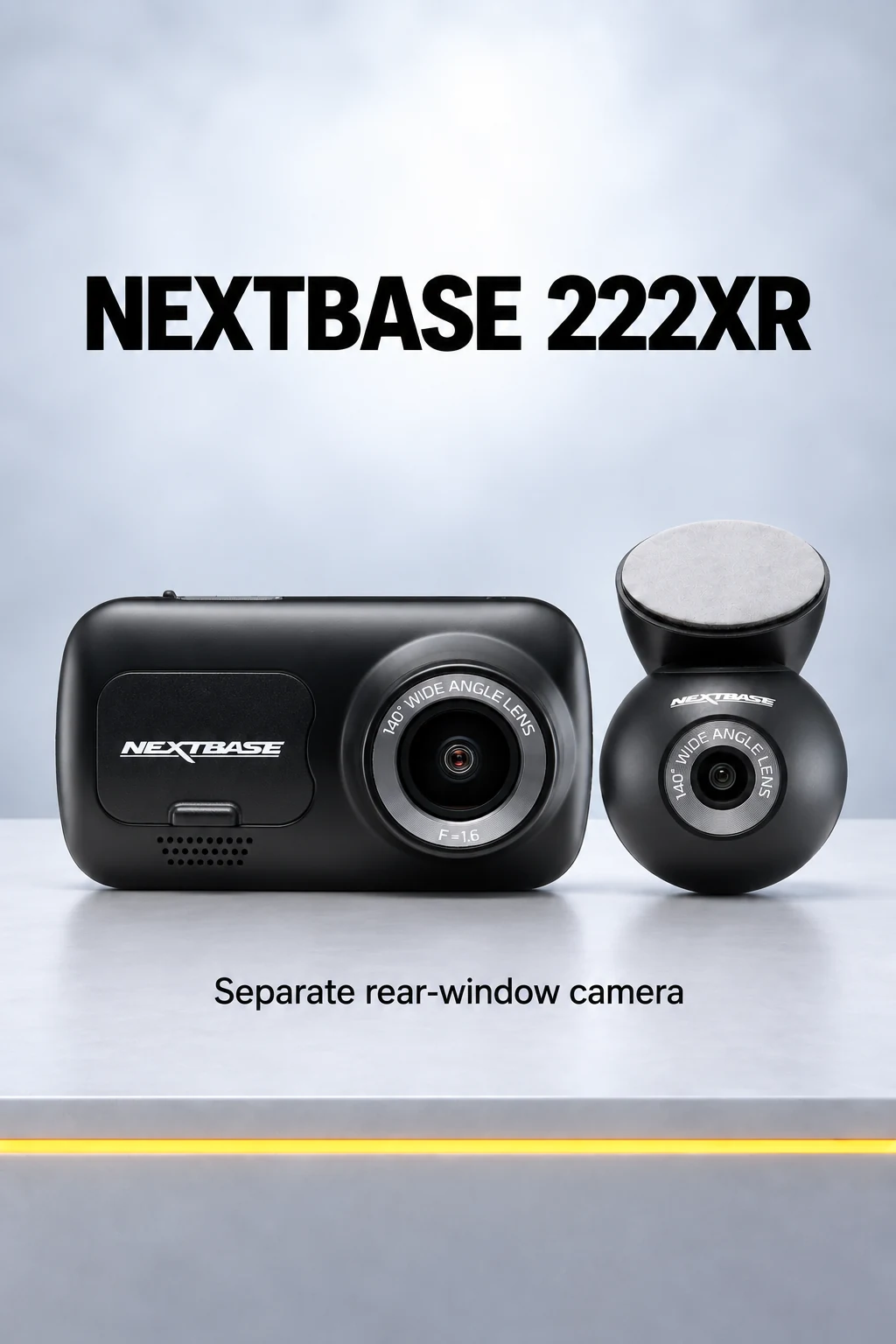
The 222XR uses a separate rear-window camera, rather than the 222X’s camera attached to the front unit. I’d consider it if you like the simpler 222 approach but your car does not give the plug-in camera a clear view backwards.

It needs a cable routed to the rear, so it gives up the 222X’s main installation advantage. In return, the rear camera can look directly through the rear glass.

Check the exact package before ordering. The 222X and 222XR names describe different setups; neither should be treated as a cheaper front unit that accepts the GW modules.

3. The Nextbase iQ range: connected features and interior recording

Nextbase iQ 2K — My Best Smart Nextbase Choice
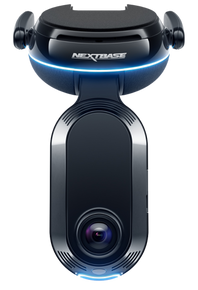
Front view of the Nextbase iQ smart dash cam

Nextbase iQ 2K:

Best fit: Drivers who want front and interior recording, infrared for passengers after dark, and paid remote monitoring.

Approx. £279.99 – £390.99

  • 1440p front and 1440p interior recording.
  • Infrared illumination for the interior camera.
  • Dedicated 1440p rear camera creates a 3-channel setup.
  • Built-in 4G for supported connected services.
  • OBD power cable and hardwire connection options supplied.
  • A 64GB card is included in the standard package.
  • The main connected features need a paid subscription.
  • Remote access depends on mobile coverage and vehicle power.
  • Larger windscreen unit, without a conventional video touchscreen.
  • Its rear camera is specific to the iQ range.

The iQ 2K is the Nextbase I’d choose for Uber and private-hire drivers who want to record passengers as well as the road. Its interior camera is built into the front unit, and infrared helps it record inside the car when there is little light. That interior coverage, together with its connected features, makes it my best smart option among the dash cams I recommend for Uber drivers.

I’d choose the iQ 2K with the dedicated iQ Rear Camera when you want front, interior and rear coverage together. That is the important advantage over a GW camera with an interior module: you do not have to give up the rear view to record passengers.

It also suits general drivers who want to check their parked car remotely. With the appropriate subscription, Live View and SmartSense parking monitoring add functions a conventional dash cam cannot provide on its own. Witness Mode can share an incident with a nominated contact, which is another reason this range is relevant to passenger-carrying work.[9]

I’d start with the 2K model because it combines 1440p front and interior recording with the same connected platform used by the 4K version. It is a spending judgement, rather than a claim that 2K footage is sharper. If maximum front resolution is your priority and the price difference is acceptable, the iQ 4K deserves a look.

The subscription belongs in the buying decision from the start. If you only want recordings stored on a card, I’d compare the iQ’s total cost carefully with a conventional camera. Its stronger reason to buy is the combination of interior coverage and connected functions.

Independent hands-on testing of the iQ platform has shown why those functions are useful, although the review cited here tested the 4K model, not the 2K. Owner feedback also includes recurring connection and app complaints. I’d choose it for the features you will use, while recognising that remote access relies on the connection working.

Channels: 2 as standard; 3 with iQ Rear Camera | Front Resolution: 2560 × 1440 | Interior Resolution: 2560 × 1440 | Rear Resolution: Optional 2560 × 1440 | Viewing Angle: Front 140°; interior 180°; optional rear 140° | Night Vision: Infrared interior recording | Power Type: Vehicle power through supplied OBD cable or hardwire connections | Max Storage: 256GB U3 microSD | Parking Mode: SmartSense with eligible paid plan and continued power | Wi-Fi / App: Wi-Fi, dedicated iQ app and built-in 4G | GPS: Yes

GET IT NOW

Nextbase iQ 2K Review

iQ 1K, 2K or 4K: what changes?
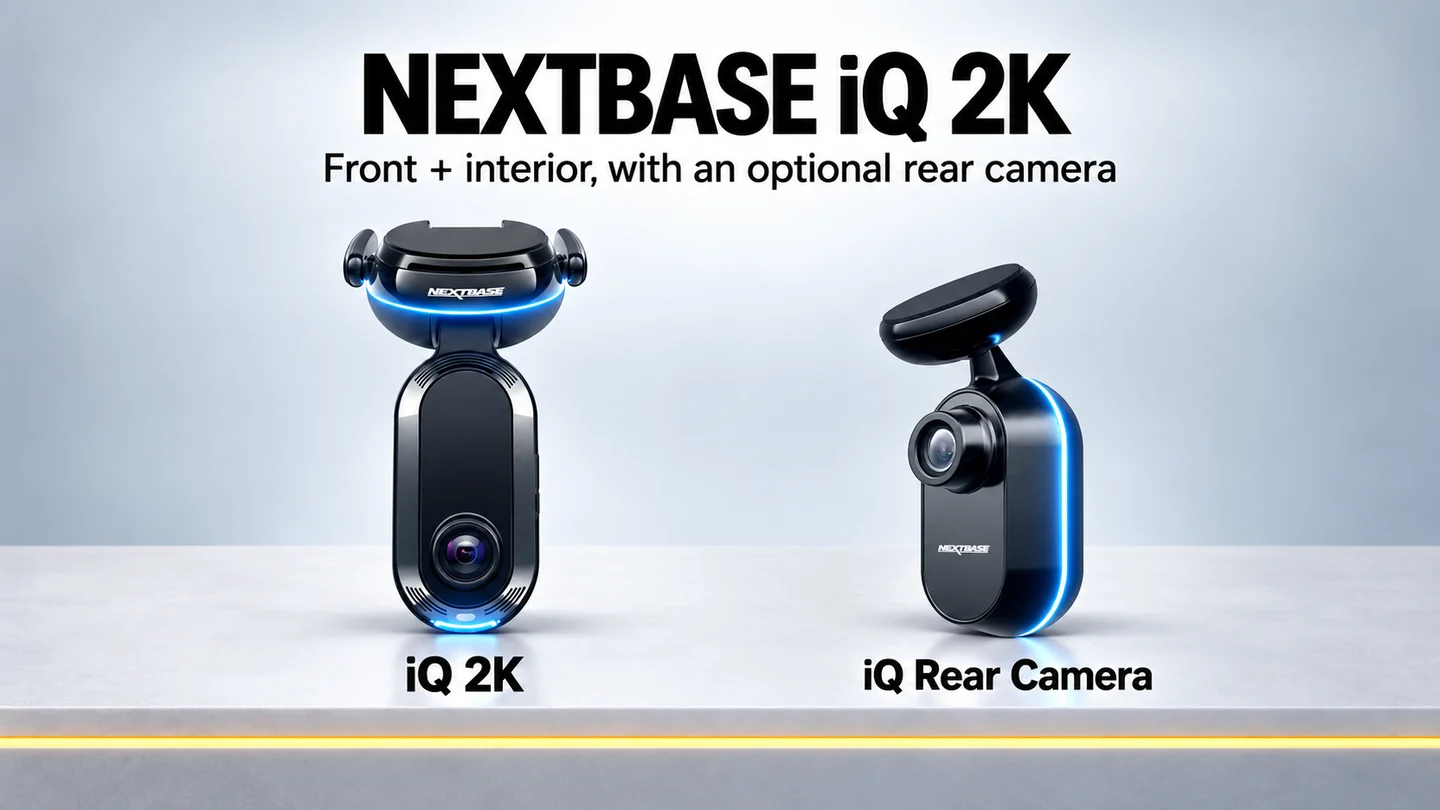
Nextbase iQ 2K smart dash cam alongside its optional dedicated rear camera
ModelFront recordingInterior recordingOptional iQ rear camera
iQ 1K1080p1080p1440p
iQ 2K1440p1440p1440p
iQ 4K4K1440p1440p
The 1K is the lower-resolution way into the iQ platform. I’d favour the 2K for the extra detail from both built-in cameras. The 4K increases front resolution, while its interior camera remains at 1440p like the 2K.

For passenger recording, that makes the 2K a sensible starting point. For drivers concentrating on the greatest available front resolution in this range, I’d consider the 4K.

What does an iQ subscription cost?

PlanUK monthly priceUK annual priceMain reason to choose it
SoloFreeFreeBasic recording without paying for the main connected services
Protect £6.99£69.994G data, Live View, SmartSense parking, Witness Mode and 30-day cloud storage
Protect Plus£9.99£99.99Adds features including Emergency SOS, automated incident backup and 180-day cloud storage
I’d start with Protect if remote viewing and parking monitoring are why you are buying the iQ. I’d choose Protect Plus if its additional emergency and backup features matter to you. Check the live plan details before subscribing, as services and offers can change.

Parking monitoring also needs continued power. The iQ uses a vehicle-battery voltage cut-off, so it cannot monitor indefinitely while the car is left unused. Remote viewing needs suitable mobile coverage as well.

4. Nextbase rear and interior cameras: which setup should you buy?
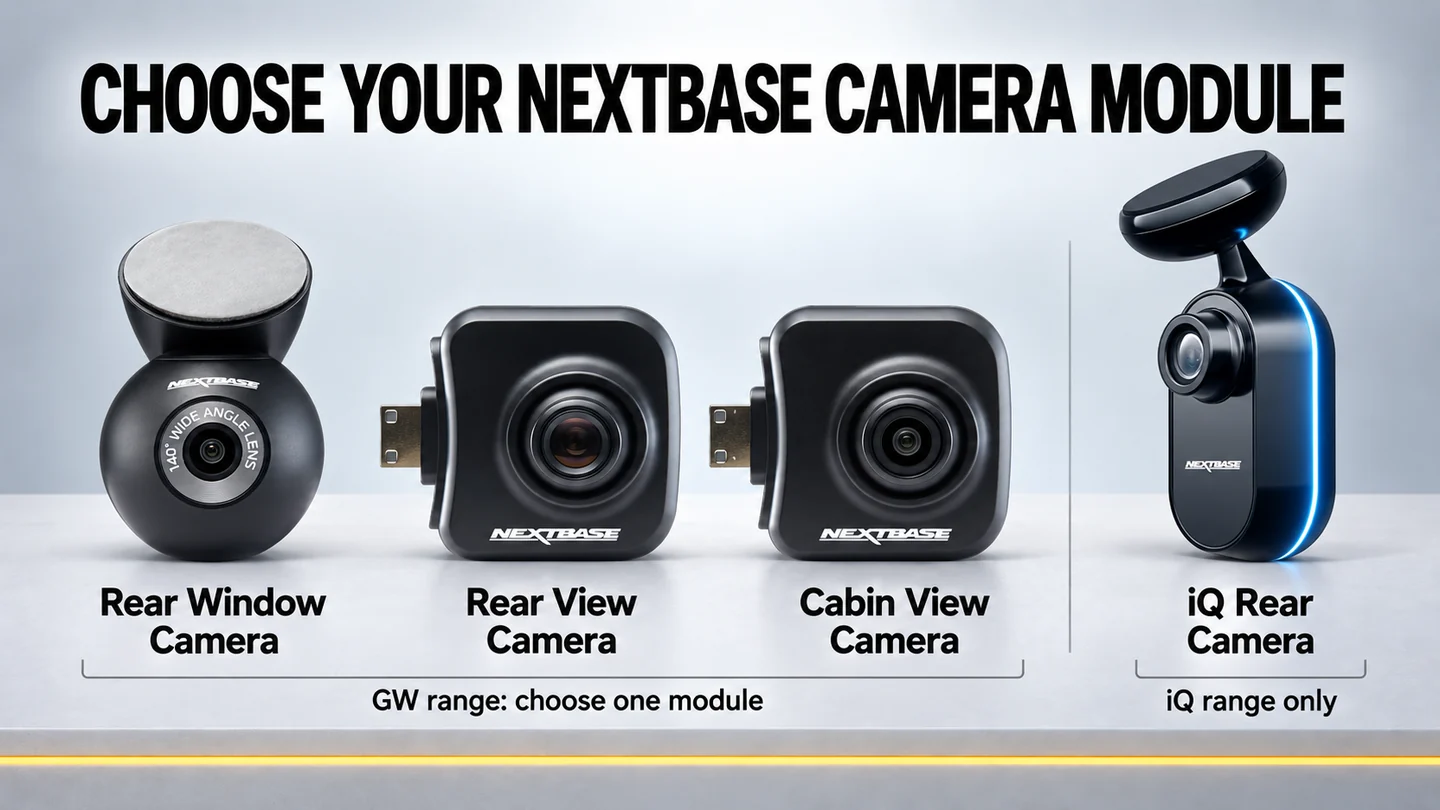
Nextbase Rear Window, Rear View, Cabin View and iQ Rear cameras compared

With the GW range, the camera you add can matter as much as the front model. Bundles are convenient, but read the actual module name: “rear camera” can describe two quite different products.

Rear Window Camera — my first choice for rear road coverage

This is the separate camera fitted at the rear glass, connected by a 6-metre cable. Its 140° view is wider than the plug-in Rear View Camera’s view, and it avoids looking past the people and seats inside the car.

I’d choose it for most drivers buying a 622GW front-and-rear package. It also makes sense with the 322GW, 422GW and 522GW when rear coverage is important and you are happy to fit the cable.

Check Nextbase — Rear Window Camera

Rear View Camera — simpler fitting, with a narrower view

The Rear View Camera plugs directly into a compatible GW front unit. Its 30° telephoto view looks through the car towards the rear window, avoiding a separate cable run to the back.

I’d choose it when easy fitting matters and the view through your car is clear. Check that view with passengers in place if you regularly carry them: a camera that works well in an empty car can have its sightline blocked later.

Check Nextbase — Rear View Camera

Cabin View Camera — an interior option for the GW range

Nextbase calls this the Cabin View Camera. It plugs into the front unit and uses a 140° view to record inside the car. I’d consider it when daytime interior recording is the main need and a simple add-on suits your existing GW camera.

It has no infrared illumination, so I would not make it my first choice for regular passenger recording after dark. Its broad view may include some rear glass, but that is not equivalent to a camera positioned at the rear window.

You also use up the GW camera’s single module connection. For front, interior and rear recording together, I’d choose the iQ setup.

Check Nextbase — Cabin View Camera

iQ Rear Camera — the third view for the smart range

The iQ Rear Camera records at 1440p and works with the iQ 1K, 2K and 4K. It is a separate product from the GW Rear Window Camera.

I’d include it when buying an iQ 2K for Uber work and wanting all three views. Front and interior cameras are already in the main unit; this adds the missing rear road view.

Check Nextbase — iQ Rear Camera

Bundle or separate purchase?

I’d buy a bundle when it includes the exact camera I want and costs less than the same parts bought separately. Buying the module later is useful if you already own a compatible GW camera or want to spread the cost.

Compare like for like: front unit, named second camera, suitable memory card and any fitting or hardwire kit. A cheaper bundle with a plug-in camera is not the same setup as one with a dedicated rear-window camera.

For these six models, my starting points are straightforward:

  • Everyday front-and-rear recording: 622GW with the Rear Window Camera.
  • Simple fitting and controls: 222X, after checking the rear sightline.
  • Passenger recording and connected monitoring: iQ 2K with the iQ Rear Camera and a suitable subscription.

Which Nextbase dash cam would I choose?

The 622GW remains my overall pick for a conventional Nextbase setup. Its 4K front recording, included filter, touchscreen and 1080p rear option give it a clear purpose even alongside newer cameras.

I’d choose the 222X for simplicity, provided its plug-in rear camera has a clear view through your car. It is the easiest of these recommended front-and-rear setups to fit without routing a rear-window cable.

For Uber drivers wanting road, interior and rear coverage, and general drivers who will use remote monitoring, I’d choose the iQ 2K with its dedicated rear camera. Include the subscription in your budget so you are buying the complete setup you actually want.